NBS Contract Administrator provides an efficient platform to administer your JCT/SBCC contracts. Containing electronic copies of the official RIBA Contract Administration Forms for use with the JCT Standard, Intermediate, Minor Works and Design and Build contracts. The software filters the right forms, for the right contract at the right time.
Get the most from a wide range of construction contracts
Forms and Contracts
NBS Contract Administrator provides an efficient platform to administer your JCT/SBCC contracts. The software filters the right forms for the right contract at the right time.
Download the table to see which contract administration forms are available for each contract.
JCT / SBCC 2016 Standard Building Contract
JCT / SBCC 2011 Standard Building Contract
JCT / SBCC 2005 Standard Building Contract
JCT 2016 Design and Build Contract
JCT / SBCC 2011 Design and Build Contract
JCT / SBCC 2005 Design and Build Contract
JCT 2016 Intermediate Building Contract
JCT 2016 Intermediate Building Contract with Contractor's Design
JCT 2011 Intermediate Building Contract
JCT 2005 Intermediate Building Contract
JCT/ SBCC 2016 Minor Works Building Contract
JCT/ SBCC 2016 Minor Works Building Contract with Contractor's Design
JCT / SBCC 2011 Minor Works Building Contract
JCT / SBCC 2011 Minor Works Building Contract with Contractor's Design
JCT / SBCC 2005 Minor Works Building Contract
JCT / SBCC 2005 Minor Works Building Contract with Contractor's Design
Generic forms, for possible use with contracts not listed above
NBS Contract Administrator also includes four “generic” contract administration forms to enable you to use the software to administer a range of contracts other than the JCT contracts listed above. These generic forms support instruction, completion, payment and deduction.
Updates
All NBS updates are delivered online; however, if required the updates can also be supplied on CD.
Pricing and purchase
Choosing a new software solution for your business is an important decision that you have to get right. That's why we find it best to discuss your requirements in detail and explain how our tools and services might best fit with the needs of your company.
Licences to NBS Contract Administrator are available as a subscription for a minimum of 12 months.
Range of technical libraries and choice of licence types.
Free access to technical and software support.
Regular software and content updates included.
Support
Call us now to discuss your requirements.
0345 456 9594
Our main office is open from 9:00 am to 5:00 pm Monday to Friday.
+44 (0)191 232 9594 from overseas. Please note that calls may be recorded for quality and training purposes and to ensure we deliver the best possible experience.
Support
As an NBS customer you’ll become part of the NBS community with access to specialists for help when you need it and have the opportunity to contribute.
Software support
Our experienced NBS Software Support team is here to help you with any NBS software-related queries you may have, and can be contacted via email, live chat and telephone from 9am until 5pm Monday to Friday, excluding bank holidays. Find out more about software support.
Specialist Advice
At NBS you will have access to our extensive team of industry and technical specialists, here to assist you with any specialised content questions.
Getting Started Guide
We provide a wide range of support to help you with using the program, including detailed instruction on:
-
installation and licencing
-
the NBS Contract Administrator interface
-
creating a new job
Find out more about Getting started with NBS Contract Administrator.
Software tutorials
NBS software support offers a selection of free interactive tutorials showing you more about how to use NBS Contract Administrator including:
-
Creating a new job
-
Completing and issuing Architects/Contract Administration Instructions
-
Instruction items cost-tracking
Knowledge Base
The NBS Knowledge Base provides the latest information and advice on NBS products. There are currently over 150 Knowledge Base articles available for your reference, including many specifically written for NBS Contract Administrator. View support articles for NBS Contract Administrator.
Content & software updates
JCT ‘Guidance’ update
NBS is providing updated guidance in line with the 2024 versions of JCT contracts.
To update the JCT guidance displayed in NBS Contract Administrator from 2016 to 2024, please install the guidance files using the download link and instructions below.
Download: NBS Contract Administrator JCT 2024 guidance update April 2025.zip
Installation instructions: NBS CA JCT ‘Guidance’ update - installation advice.pdf
Please note:
-
This update is intended for use with the current version of NBS Contract Administrator v3.0.1.
-
The guidance update installation steps must be repeated on every device/workstation you have NBS Contract Administrator installed.
-
These steps should be repeated after installing NBS Contract Administrator onto a new device/workstation.
If you have any questions or queries please contact the Software Support Team.
The latest software release includes essential maintenance improvements.
It is important that you download the update to ensure that you’re referencing the latest information and guidance, and getting the most out of the software.
If you have any questions or queries please contact the Software Support Team.
Providing users with a more consistent experience across all NBS products, this update sees the application of the new NBS brand providing a visually appealing, refreshed interface, a new look start up screen with news about NBS developments of interest and quick links to useful support materials.
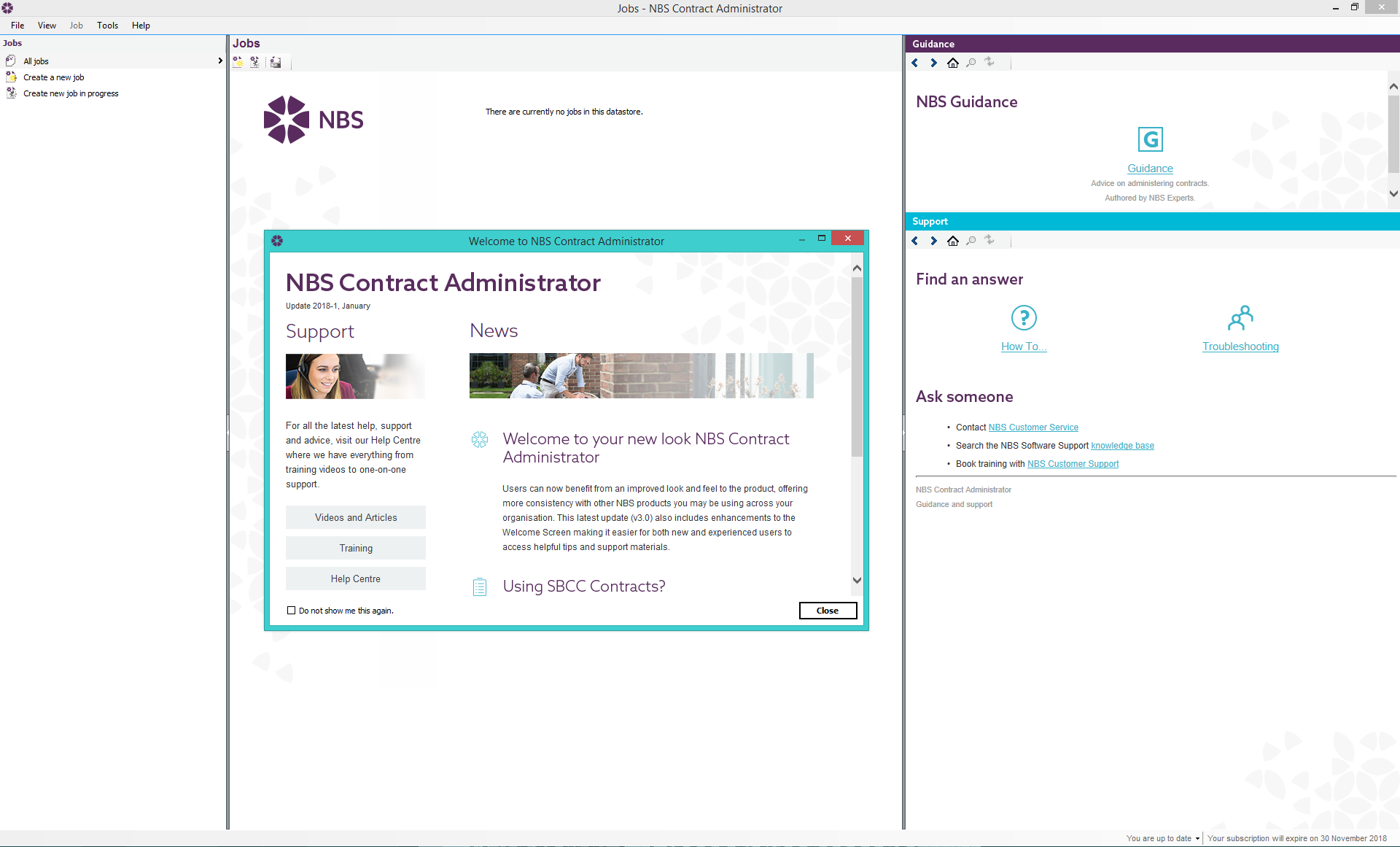
This latest version (v.3.0) is not compatible with Microsoft Windows XP and Windows Vista. Microsoft have not supported these operating systems since 2012 and 2014. The last version of NBS Contract Administrator available for these formats (v2.3) remains available for download if required. Please read the NBS system requirements for guidance.
If you have any questions or queries please contact the Software Support Team.
This software update includes the official RIBA Contract Administration Forms for use with all the JCT/SBCC 2016 contracts. Forms for SBCC Standard and Design and Build Contracts to follow in future updates. The on-screen technical guidance and software help have been updated to reflect the latest changes, ensuring you have the support you need throughout the contract administration process. Users will also benefit from access to demo jobs that reflect the latest forms.
The general layout and contract administration approach will remain familiar to existing users.
The main differences to note when compared with previous versions include:
-
All contractors forms have been removed with the exception of the Application for Payment which has been transferred to the Employers Agent Set
-
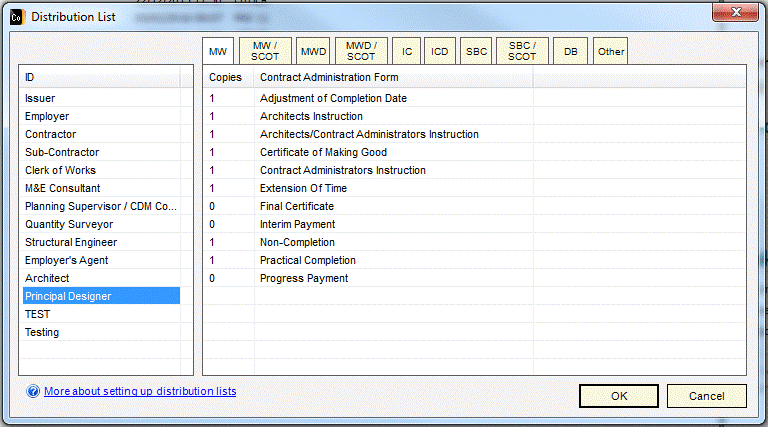
New roles added to the distribution list - Principal Designer – to reflect changes in legislation
-
Date now located beside the signature

-
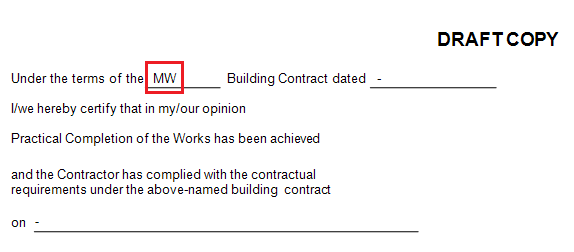
Easier to identify the contract you are using within the form
-
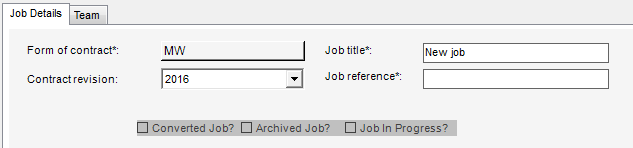
Form of contract and Job title have been swapped over in the Job Details tab:
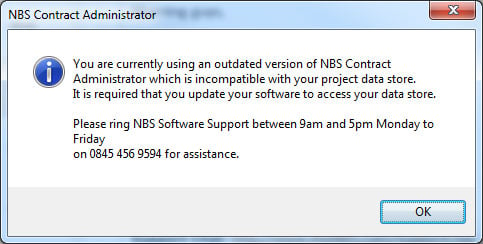
Customers using a shared data store across a network will be required to upgrade all users on their network to this latest version (v2.3.0). When installed, this NBS Contract Administrator update will upgrade your existing data store – any users on your network trying to use the software without upgrading will see this message:
We have also taken the opportunity to respond to customer raised bugs including:
Some of our larger customers needed to be able to include larger numbers of Sectional Completion items so this has now been made possible
The user interface displays longer Works Descriptions removing previous overlaps with the address field
Our online help pages contain a range of support articles for NBS Contract Administrator users. If you require assistance with your update, please contact the NBS Software Support Team.
You also have access to our team of technical specialists for contracts-related guidance.
When starting your next project that uses the JCT/SBCC 2016 contracts, select the latest 2016 forms in NBS Contract Administrator. We would advise you continue to use the forms already in use for completing your existing projects.
The latest NBS Contract Administrator update (version 2.2.8) features important developments which address an issue relating to the calculation of full and post practical completion retention percentages on Interim Certificates for 2011 Intermediate and Minor Works forms of contract. Ensure you are using the latest version of NBS Contract Administrator by downloading this update now.
Don't forget about our handy online tutorials developed just for you. They give you step-by-step reminders on how to get the most from NBS Contract Administrator - from creating a new job to completing and issuing Instructions.
Or if you would like to speak to one of our helpful support team to get some advice or guidance on using the product. Or perhaps you have a question for our contracts specialists on use of the contracts and forms themselves. You can chat with our in-house specialists on 0345 456 9594.
System requirements
Supported Operating Systems (32-bit and 64-bit) updated with the latest service pack:
- Windows 10
- Windows 8.1
Hardware requirements
- Processor 2.0GHz - Highest affordable speed rating recommended
- Memory 4GB
Pre-requisites for NBS Contract Administrator
- Microsoft .NET Framework 4.0 Full
- Microsoft Visual C++ 2010
Other Requirements
- Network file storage: NBS support Microsoft Windows Server (current versions). Data caching servers such as Talon drives are not supported by any NBS Products.
- Citrix Environment and Virtual Desktops: Citrix and Virtual Desktops are not supported for any NBS Products.
- Cloud Storage: We do not recommend installing NBS or storing your specifications or licences on any form of Cloud storage as NBS requires a constant connection to the files location.
Apple
NBS products and services can be run on the Apple Mac under Apple Boot Camp and with Windows emulation software.
We have tested NBS Contract Administrator successfully using Apple Boot Camp and Parallels Desktop software.
Both options require a licence of Microsoft Windows as outlined above.