How to access Specification Features in the NBS Plugin for Autodesk Revit (v3.5)

Jul 4, 2019 |NBS Software Support

This content is no longer up to date and has been archived.

You may wish to consider searching for newer content

Summary

Within the NBS Plugin for Autodesk Revit, you have the ability to access features that allow you to link your Revit model and NBS Specification files.

Enabling Specification Features

To access these features, first ensure you have the plugin correctly installed then select the NBS tab within Autodesk Revit. You will see the following:Smaller menu bar

Select the "Specification Features" option and you will be presented with the following screen:
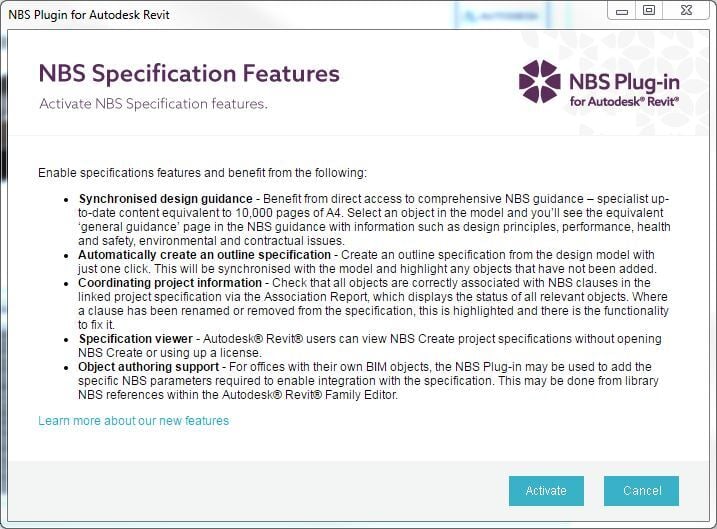
  PL0008 Spec Features

Click the "Activate" option at the bottom to enable the features.

Disabling specification features

Once enabled your NBS Plugin bar will have more options, such as below. To disable Specification Features, click the "Specification Features" in the menu bar on the right side.

Menu Bar expanded 

To disable the features, click "Deactivate" option at the bottom of the resulting window..
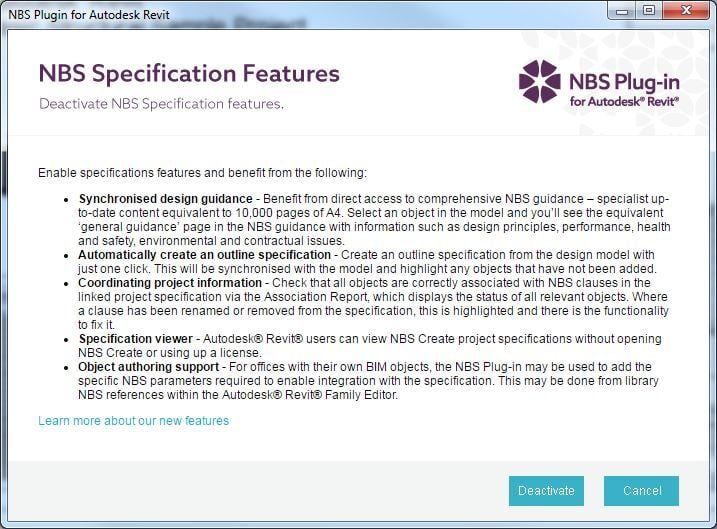
PL0008 Spec Features Deactivate

Latest articles

Here you will find all you need to know about updates and support for NBS Plug-in for Autodesk® Revit®

How to do a clean reinstall of the NBS Plugin for Autodesk Revit

Occasionally a normal reinstall of the NBS Plugin for Autodesk Revit will not effectively resolve the issue at hand, resulting in a clean reinstall to be required instead.

How to access Specification Features in the NBS Plugin for Autodesk Revit (v3.6)

Summary Within the NBS Plugin for Autodesk Revit, you have the ability to access features that allow you to link your Revit model and NBS Specification files.

NBS desktop products and Mac OS X

More Information NBS provides a range of desktop products designed for the Windows operating system but these products are not compatible with Mac OS X systems natively.