Here you will find all you need to know about updates and support for NBS Plug-in for Autodesk® Revit®
When you try to download a specific object using the NBS Plugin, you get the following error message:
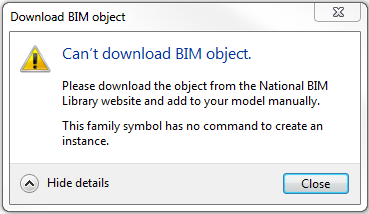
Cause of the error
Please Note: To understand the error, we will be using the curtain wall object as an example.
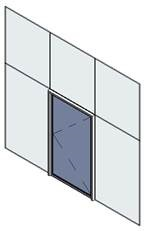
This error is caused as the object in question has been authored as a curtain wall door and requires placement in a curtain wall host as opposed to a door object which is placed within a regular wall.
Our BIM authors have started indicating the curtain placement/wall placement objects in the page names for newer objects on the National BIM Library, but the generic doors haven’t been updated yet - we apologise for the inconvenience.
This error occurs as the plug-in is trying to place a curtain element into a project the same way a standard door would be placed.
The error message is misleading as the family is downloaded into the project file, however, it can’t be loaded automatically into the drawing. The file will be loaded into the project browser panel (usually the pane to the bottom left of the Revit screen if the user hasn’t customised their layout).
Solution
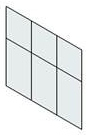
- Create a curtain wall using the wall tool:
- Hover over the section you wish to replace with the door element and tab through the selection options until the required panel is outlined and click to select it, then use the drop down menu in the properties panel to select the curtain wall door:
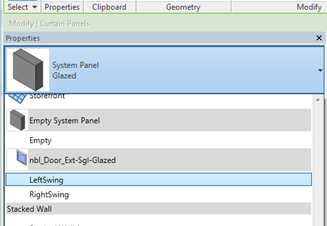
- This will swap the curtain panel for the curtain door in the curtain wall.