Here you will find all you need to know about updates and support for NBS Contract Administrator
Symptoms
When trying to insert Architect Instructions, there is only the option to insert Contract Administrator Instructions.
Please Note: this issue is only for 2011 contracts and below - 2016 contract have combined the 2 Instructions into one.
Cause
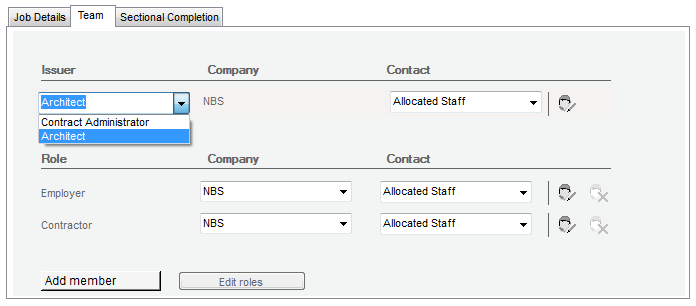
The issuer details are set up as Contract Administrator and not as an Architect.Resolution
To change between Architect and Contract Administrator:- Open the Job details of the current Job.
- Select the Team tab in the editor.
- In the Issuer drop down, select whether you are an Architect or Contract Administrator.
- The reference library will now display the correct type of instructions.